Overview 01 How it works 02 Features 03 Architecture 04 Specs 05 ← Back to xplug.in Get early access
xplug.in /Products /Xplug.Vision
In development · Genetec Security Center · 2025

Xplug.Vision

Natural-language video search for Genetec Security Center.

Operators spend 2–6 hours scrubbing timelines to find a 12-second clip. Xplug.Vision replaces that with a plain-English query — type what you're looking for, get the exact moment back, inside the console you already use.

Requires Genetec Security Center 5.10+ · self-hosted vector database
SECURITY DESK · XPLUG.VISIONindexed · 248 cams
white SUV near Gate 3 between 2 and 4 PM yesterday
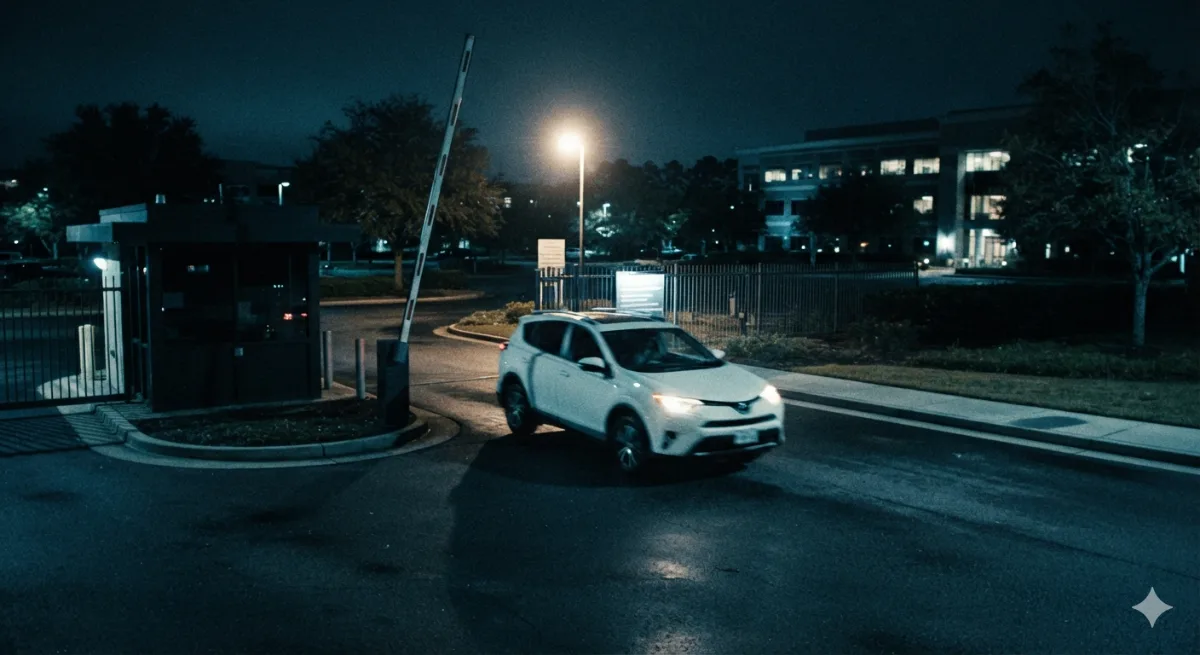
Vehicle · white SUV · 0.96
CAM-04 · GATE 3 NORTHMATCH
YESTERDAY · 14:18:22archive
14:18:22
CAM-04 · 0.96
15:02:09
CAM-09 · 0.94
15:47:51
CAM-12 · 0.91
11 matches · ranked by relevance · 0.42sJump to archive →
2–6hrs
Scrubbing replaced
<0.5s
Query response
24/7
Background indexing
100%
Self-hosted
01 / How it works

From raw footage to a one-line answer.

A background service does the heavy lifting continuously, so the operator's query is instant — and never leaves your network.

01

Ingest

The service taps Security Center video streams and samples keyframes from every camera, around the clock.

02

Describe

Claude's vision model describes each keyframe in natural language — objects, attributes, colours, context.

03

Index

Descriptions become vector embeddings in a self-hosted database, timestamped and linked to camera + archive.

04

Ask & jump

The operator types a query; ranked, thumbnailed results jump Security Desk straight to that moment.

02 / Features

Search that thinks like an investigator.

Ask in plain English

No filters, no camera-by-camera scrubbing. Describe what you're after — “person in a red jacket loitering by the loading dock after 9 PM” — and get timestamped, thumbnail-previewed results in seconds.

Continuous AI indexing

A background service describes keyframes with a vision model and stores them as vector embeddings, so every camera is always searchable — historical and live.

Native to Security Desk

Clicking a result jumps Security Desk directly to that moment in the archive. No external UI, no new workflow — it lives inside the operator's existing workspace.

Fleet-ready & private

Built for hundreds of cameras, multiple operators and 24/7 indexing — with a self-hosted vector database and full audit logging. Footage never leaves your infrastructure.

Example queries operators run
white SUV near Gate 3, 2–4 PM person carrying a large box at the rear exit forklift left in the aisle overnight someone in hi-vis on the roof two people tailgating through Door 12 unattended bag in the lobby
03 / Architecture

Self-hosted, end to end.

Every component runs inside your network. The pipeline is continuous and asynchronous — indexing never blocks the operator, and queries never wait on it.

Security Center Video streams · archive · SDK events
Keyframe sampler Background service · per-camera cadence
Vision model Keyframe → natural-language description
Vector database Embeddings · timestamps · self-hosted
Query & jump Operator search → Security Desk archive
04 / Specifications

What it needs to run.

Platform & integration
VMSGenetec Security Center 5.10+
IntegrationNative Security Desk · SDK / Web SDK
IndexingContinuous background service
Vision modelClaude vision · keyframe captioning
Deployment & data
HostingSelf-hosted · on-prem or private cloud
StorageSelf-hosted vector database
ScaleHundreds of cameras · multi-operator
ComplianceFull audit logging · footage stays on-network
Early access · 2025

Put plain-English search
inside your Security Desk.

Xplug.Vision is in active development. Join the early-access programme to pilot it on your deployment and shape the roadmap.